
Docs are flat.
Thinking isn’t.
Works in your browser. No account needed.
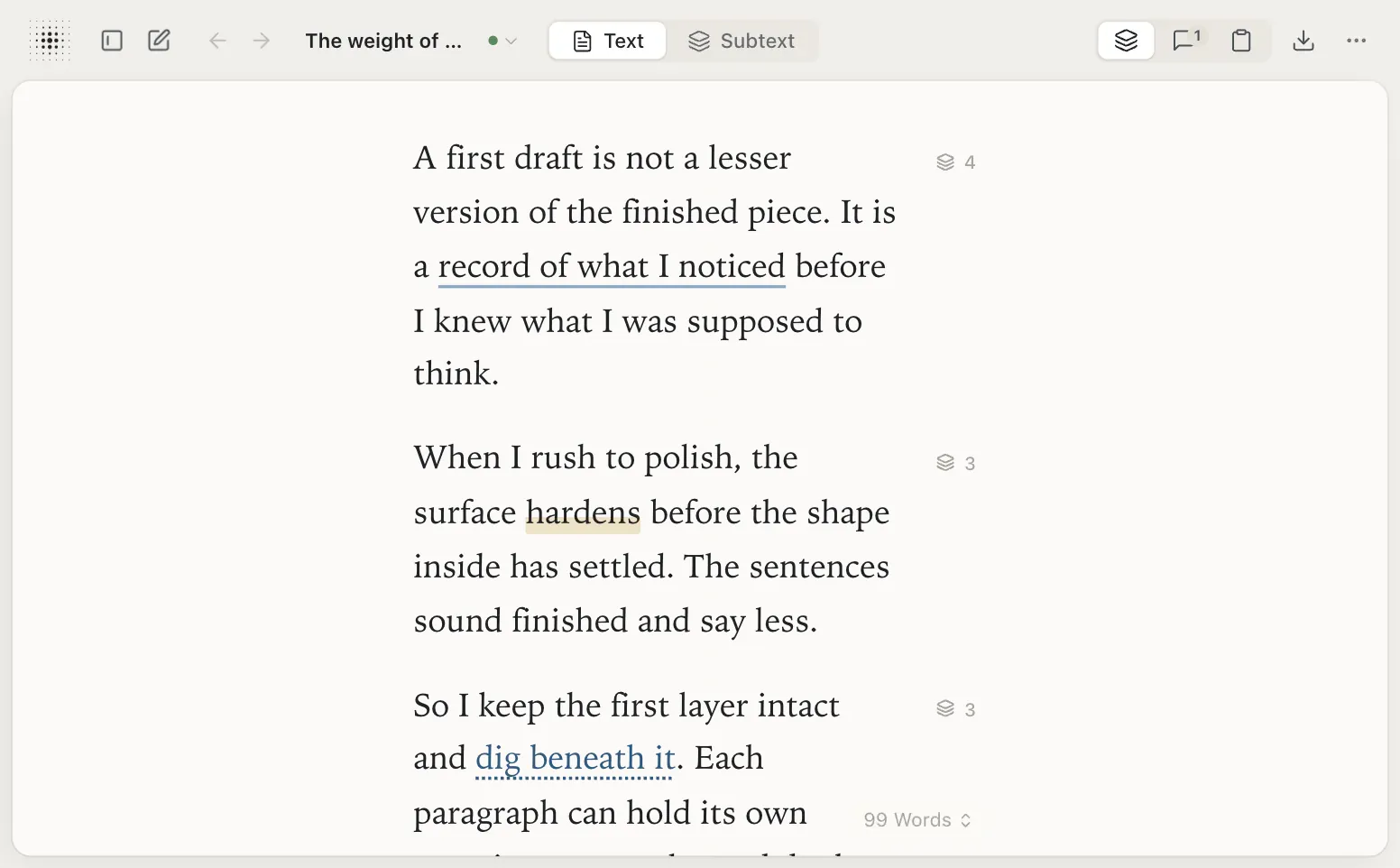
A first draft is not a lesser version of the finished piece. It is a record of what I noticed before I knew what I was supposed to think.
- record of what I noticed
- Is “record” the right word? Maybe “trace” — something left behind by movement.
- Trace implies the thinking already happened elsewhere. I want the draft to be where it happens.
- Compare: a potter’s first throw. The clay remembers the hands.
When I rush to polish, the surface hardens before the shape inside has settled. The sentences sound finished and say less.
- Example from last week: the grant summary read well and meant nothing.
- What did you actually believe? Write that sentence first.
- A useful test for the paragraph: what did polish make harder to notice or say?
So I keep the first layer intact and dig beneath it. Each paragraph can hold its own questions, examples and doubts without crowding the page.
- Layers, like strata in a cut bank.
- Some of these will rise to the surface. Most will stay as the ground the draft stands on.
Only then do I bring in help — an editor, a reader, a machine — and the help has something real to work with.
Subtextual is a writing workspace for developing essays, arguments and unfinished ideas.
Keep notes, doubts and optional AI replies beneath the paragraphs they belong to, while you shape the draft.
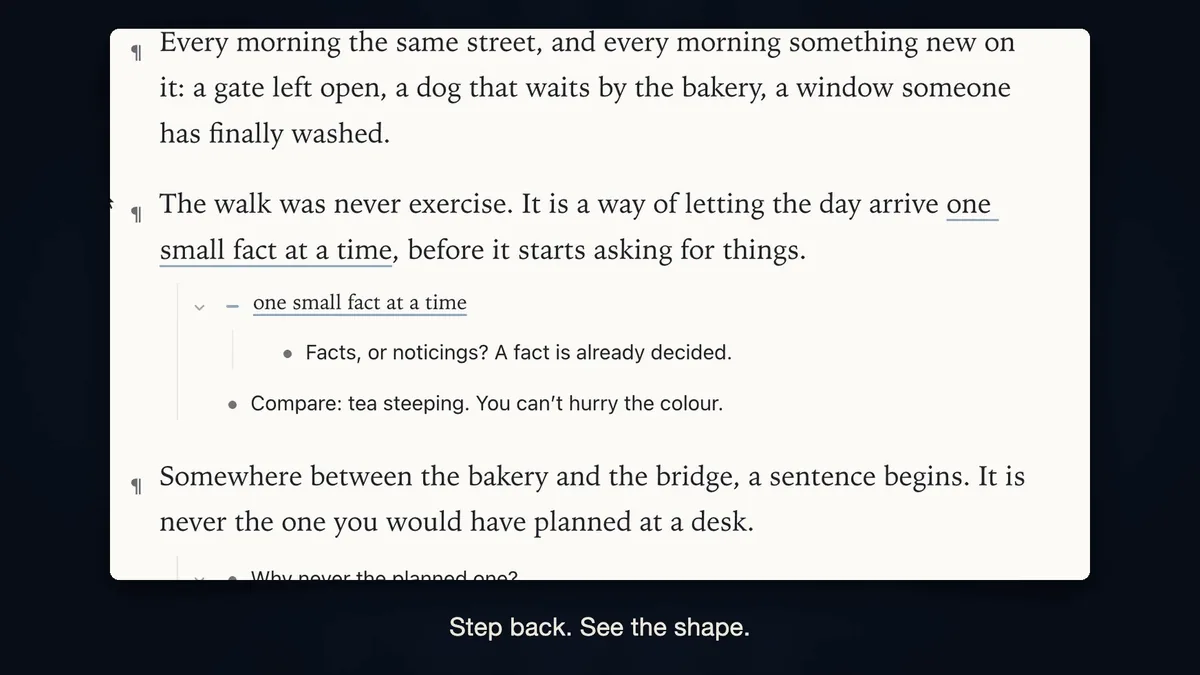
Write the draft. Think beneath it.
-
Write on the page.
Only your draft lives on the page.
-
Open any paragraph.
Doubts, examples and questions go beneath it. If you use AI, it works there too.

On a wide screen, the window beside the steps shows this as you scroll: the first paragraph’s thinking slides in beside the page, row by row, down to the thought “Compare: a potter’s first throw. The clay remembers the hands.” -
Bring up what matters.
You decide what moves onto the page. The rest stays beneath.

On a wide screen, the window beside the steps shows this as you scroll: the thought “Compare: a potter’s first throw. The clay remembers the hands.” lifts from the thinking onto the page and becomes the second paragraph, and the paragraphs below make room. -
Doubt it beneath. Fix it on the page.
Your doubt goes beneath the sentence it’s about. Ask the AI, and its reply lands there too, marked with a hollow bullet. Then you write the better sentence on the page.

On a wide screen, the window beside the steps shows this as you scroll: the thinking turns to the paragraph that begins “When I rush to polish”: the doubt “‘Say less’ is vague. Less than what?” appears, and the AI’s answer unfolds beneath it on a hollow bullet. Then the end of that paragraph on the page changes to the writer’s own rewrite: “…sound finished and no longer say what I care about.”


Your draft. AI beneath it.
AI works in the subtext, never on the page.
Most AI tools talk to you from a chat window or write into your page. Here AI has its own place: beneath your thoughts, marked with a hollow bullet. It can ask, answer or push back. What goes on the page is up to you.


Start writing, and the first steps walk you through this: write a paragraph, open beneath it, bring up what matters, then ask the AI. No AI set up yet? A labelled sample shows what a reply looks like.
Start writingYour editor writes beneath, too.
Share a page and your editor’s notes arrive beneath the paragraphs they’re about, with their name on them. Your page stays yours.


- Free. No account needed.
Write in your browser. Sign in only to sync or share, and both are free.
- Your writing stays yours.
No one at Subtextual reads it, and it’s never used to train AI.
- AI, if you want it.
Subtextual AI, $5 a month. Or use your own key, and pay your provider directly.
- From an editing practice.
Subtextual comes from editing.help and one idea: protect first-draft thinking.
Questions.
Do I need an account?
No. Subtextual works in your browser and saves your writing there. Sign in, with Google or a code sent to your email, only if you want to sync the documents you choose or share one.
Which AI does it use?
Your choice: your own key from Anthropic, OpenAI or OpenRouter, or Subtextual AI at $5 a month. It runs only when you ask. Without either, Subtextual works fully.
Is my writing private?
Yes. No one at Subtextual reads your writing, and it’s never used to train AI. It stays in your browser unless you sync or share a document. AI requests go to your AI provider, never to editing.help. See the privacy policy, or Support.
Can I take my writing with me?
Yes. Export any document as Markdown, Word or PDF, or every document at once in one .zip. Nothing is locked in.